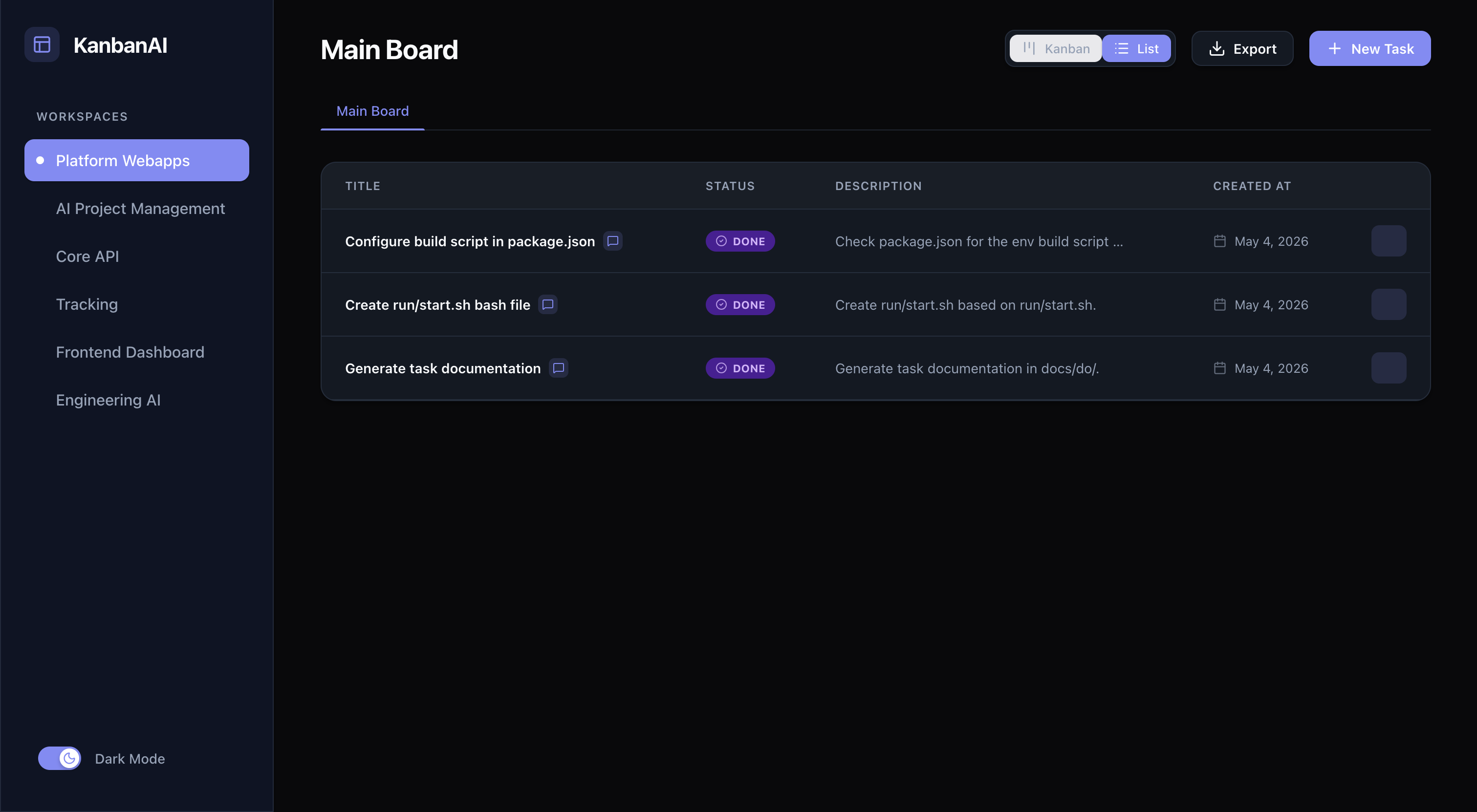
AI Agent Kanban Workspace
A specialized Kanban project management system designed for seamless collaboration between human users and AI agents (specifically Google Antigravity). This tool allows AI agents to plan, execute, and log their progress directly on a stateful Kanban board, providing full transparency to the human user.
🚀 Overview
The AI Agent Kanban Workspace acts as a bridge between high-level AI reasoning and a human-readable execution environment. It uses the Model Context Protocol (MCP) to allow AI agents to:
- Explore existing project context.
- Break down complex goals into atomic tasks.
- Track real-time progress by moving cards through a standard lifecycle.
- Log internal reasoning and execution steps for every task.
🛠 Technology Stack
Frontend
- Framework: Vue.js 3
- State Management: Pinia
- Styling: Vanilla CSS (Modern, Minimalist design)
- Features: Drag-and-drop (vuedraggable), Dark/Light mode support, Excel export.
Backend
- Runtime: Node.js
- API: Express.js
- Database: PostgreSQL (Raw SQL queries for performance)
AI Integration
- Protocol: Model Context Protocol (MCP)
- SDK:
@modelcontextprotocol/sdk
📁 Project Structure
.
├── backend/            # Express.js API server
├── frontend/           # Vue.js 3 client
├── mcp-server/         # MCP Bridge for AI integration
├── database/           # SQL initialization scripts
├── docker-compose.yml  # Orchestration for the full stack
└── prd.md             # Original Product Requirements Document
⚙️ Core Features
- Workspace & Board Management: Isolated boundaries for different projects to prevent AI context hallucination.
- Task Lifecycle: Standard transitions:
BACKLOG→TODO→IN_PROGRESS→BLOCKED→DONE. - AI Logging: Every task maintains an append-only log of AI thoughts and execution details.
- Premium UI: Sleek, modern interface with native dark mode and smooth animations.
🛠 Getting Started
Prerequisites
- Docker & Docker Compose
- Node.js (for local development)
Quick Start (Docker)
- Clone the repository.
- Run the full stack using Docker Compose:
docker-compose up -d --build - Access the applications:
- Frontend:
http://localhost:5173 - Backend API:
http://localhost:3000/api - MCP Server: Internal service for AI connection.
- Frontend:
AI Agent Configuration (MCP)
To connect your AI agent (e.g., in Cursor or VS Code), point your MCP configuration to the local mcp-server directory.
Example mcp_config.json:
{
  "mjs-kanban": {
    "command": "node",
    "args": ["/path/to/ai-project-management/mcp-server/index.js"],
    "env": {
      "API_BASE_URL": "http://localhost:3000/api"
    }
  }
}
📄 License
ISC License.